UP Scholarship Status 2026-27: Check Application and Payment Status Online
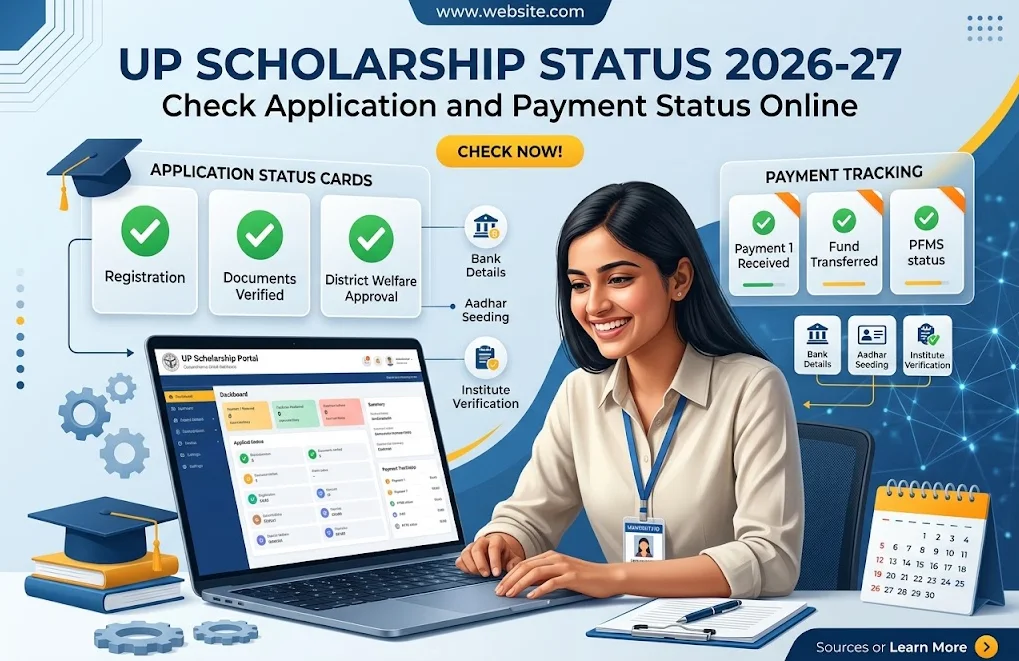
Open scholarship.up.gov.in to check application status, and open pfms.nic.in to check payment status. These are two separate systems. The UP portal shows verification progress. PFMS shows whether money moved to a bank account.
Students search for UP Scholarship Status 2026-27 for three reasons. The form is stuck at the college. The form is approved but the money is missing. The form is rejected. This guide covers all three cases. It was last updated on October 14, 2026.
Two Dashmottar deadlines are live today. Renewal closes on October 15, 2026. Fresh applications close on October 31, 2026. Class 9 to 12 fresh applications closed on September 21, 2026. Class 10 and 12 renewals closed on August 25, 2026.
This website is an independent information resource. It is not a government website. For registration, login and form help, read UP Scholarship 2026–27: Official Portal, Login, Registration, Status और Last Date.
How to Check UP Scholarship Status 2026-27
Open scholarship.up.gov.in, select Status, choose the academic year, enter the registration number and date of birth, and submit. Buddy4Study describes this route. Shiksha describes a second route. That route uses the OTR number and password to log in, then opens the application status section.
Both routes use details created during registration. Three details open the check:
- Keep the registration number (example: the number issued after OTR registration)
- Keep the date of birth (example: the date entered on the form)
- Keep the password (examples: login password, reset password)
OTR means One Time Registration. Reports describe a 14 digit OTR number. The department allows one OTR per student. A second OTR creates a duplicate record and can delay verification.
Follow these steps for the Status route:
- Open scholarship.up.gov.in in a browser.
- Select the Status option.
- Choose academic year 2026-27.
- Enter the registration number and date of birth.
- Click Submit and read the result.
The status moves in stages. The student locks the form online. The college or school then verifies and forwards it. Reports list the next stages as district verification, a payment file and bank credit.
Menu names on the live portal override any third-party description. Some sites publish a direct status link. One site marked its link as not yet active. Use the portal home page instead of unverified direct links.
The portal blocks automated tools, so this guide could not read it directly. Every portal step here comes from published reports. Compare each step with the live screen before acting.
Do not share passwords or OTPs with anyone. Examples of unsafe requests include a stranger on WhatsApp, a Telegram “agent” and a paid “status service”. The official portal charges no registration fee, according to published overviews.
How to Check UP Scholarship Payment Status 2026-27
Application progress and payment progress follow separate paths. A final status of Verified on the UP portal ends the approval stage. The payment stage starts afterward. Three examples show the gap. A verified form has no payment file. A sent payment file has no credit. A credit lands in an older account. Each case calls for its own check.
Open pfms.nic.in, choose Know Your Payment under the Payment Status menu, enter the bank account details, and search. PFMS is the Public Financial Management System. The Controller General of Accounts built and runs it.
PFMS lists two relevant tools on its home page:
- Know Your Payment shows transaction wise status for any bank account
- DBT Status Tracker shows beneficiary and payment status for schemes (examples: NSP, PM-Kisan, MNREGA)
The PFMS list names central schemes. It does not name the UP Scholarship. A state payment can still appear in Know Your Payment, because that tool reads by bank account. The DBT Status Tracker may not list a state scheme.
PFMS reports scale. It recorded 1,78,26,08,704 transactions worth ₹30,49,160 crore in financial year 2024-25. It had 650 banks integrated as of January 31, 2024.
How to Check Payment Through PFMS Know Your Payment
Five steps check a payment through Know Your Payment. A guide from righttoinformation.wiki lists the inputs. They are bank name, account number, confirmation of the account number and a captcha.
- Open pfms.nic.in.
- Hover over the Payment Status menu.
- Click Know Your Payment.
- Enter the bank name, account number, confirmation number and captcha.
- Click Search and read the transaction list.
The tool works without a login, according to Project Sarthi. Keep the account number linked to Aadhaar ready. A PFMS FAQ summary says an Aadhaar based payment goes to the account seeded last. Students with two accounts (examples: a savings account, a zero balance account) check both.
The DBT Status Tracker offers two options. Beneficiary Validation shows whether the bank account passed PFMS checks. Payment shows the money trail. A PFMS guide says to check validation if it stays pending for more than three days.
PFMS states a limit on its own home page. The data comes from uploads by government departments. The Controller General of Accounts does not guarantee accuracy or completeness. A blank result therefore proves nothing alone. It also gives no reason for a delay. Examples of missing context include a pending payment file, a typed error and a record held by the bank.
PFMS helpdesk contact: 011-23343860.
What Does UP Scholarship Application Status Mean?
Application status shows the verification stage of the form, not the payment. Reports list labels such as Pending at Institute, Forwarded by Institute, Verified by District Committee and Sent to PFMS. CareerIndia and Physics Wallah are the sources. The live portal wording is final.
Verification is the approval of the form. Sanction is the order to release money. Credit is the arrival of money in the account. A verified form is not a credited payment.
| Reported label | What it generally means | What it does not mean | Next check |
|---|---|---|---|
| Submitted or locked | The student finished the online form | The college has seen it | Print the form and submit the hard copy |
| Pending at Institute | The college has not forwarded the form | A rejection | Visit the Scholarship Cell with the receipt |
| Forwarded by Institute | The form moved to the next level | Approval | Watch for district or university action |
| Verified by District Committee | The district cleared the form | Money in the bank | Open PFMS Know Your Payment |
| Sent to PFMS | A payment file started | Credit | Check the bank account in PFMS |
| Rejected | An error stopped the form | A permanent block | Read the reason on the portal |
Labels differ by scheme. Pre-matric, post-matric and Dashmottar forms follow different calendars. Approved or recommended labels also vary by department (examples: Social Welfare, Backward Class Welfare, Minority Welfare).
Common rejection reasons in reports include mismatched records, blurred documents and a form the institute never forwarded. Wrong bank details also appear in reports.
UP Scholarship Payment Status Messages and Their Meaning
Payment messages show where money sits in the transfer chain, and only the bank statement confirms credit. Several guides list the same core messages. The portal wording varies, so treat the list below as a general map.
| Message | Meaning |
|---|---|
| Payment Sanctioned | The department approved the amount |
| Payment Initiated or Under Process | PFMS is checking details or routing money |
| Payment Successful | PFMS reports the money was sent |
| Credited | The bank posted the money |
| Payment Failed or Rejected | The bank or Aadhaar mapping stopped it |
| Returned | The bank sent the money back |
| No Record Found | PFMS has no transaction for that account yet |
Three failure examples appear in guides. A dormant account fails. An account not mapped with NPCI fails. A name mismatch between Aadhaar and the bank fails.
NPCI is the National Payments Corporation of India. It runs the Aadhaar mapper that routes DBT payments. DBT means Direct Benefit Transfer, which sends subsidies straight to bank accounts.
Confirm actual credit through three channels:
- Check the bank statement (examples: net banking statement, mini statement)
- Check the passbook (examples: printed entry, branch update)
- Check the SMS alert (examples: bank SMS, UPI app alert)
Project Sarthi reports a wait of 3 to 7 working days after a Payment Successful message. Contact the bank after that window, and quote the PFMS payment reference.
UP Scholarship Payment Date 2026-27 and Latest Updates
No official payment date was confirmed for this guide, and published reports disagree. Official schedules appear in the notices on scholarship.up.gov.in and in Social Welfare Department orders. An application deadline is not a payment date. A deadline closes the form window. A payment date is a bank transfer window.
Reported dates, as of October 14, 2026:
| Group | Reported payment window | Source |
|---|---|---|
| Class 10 and 12 renewal, phase 1 | September 29 to October 5, 2026 | Buddy4Study |
| Class 9 to 12 renewal | October 25 to 31, 2026 | Careers360, as relayed by a guide |
| Class 9 to 12 fresh | January 25 to 31, 2027 | Careers360, as relayed by a guide |
| Dashmottar renewal | January 16 to 25, 2027 | Careers360, as relayed by a guide |
| Dashmottar renewal (alternate) | December 1 to 10, 2026 | Buddy4Study |
| Dashmottar fresh | January 27 to 31, 2027 | Careers360 and Buddy4Study |
Dashmottar renewal shows two different ranges. Treat both as unconfirmed.
Amounts also depend on category. Careers360 reports ₹3,000 to ₹7,000 per year for pre-matric students. General students get ₹3,000. SC day scholars get ₹3,500. SC hostellers get ₹7,000. For higher education, Careers360 reports ₹230 to ₹1,200 per month, based on course group and residency.
Date stamp: payment windows above reflect reports published before October 14, 2026.
Why Has UP Scholarship Payment Not Been Received?
Payment is usually late because of incomplete verification, bank detail errors, Aadhaar or NPCI mapping gaps, or a failed transfer. The online guide on this site lists four common causes. They are unverified forms, unlinked accounts, dormant accounts and name mismatches.
Use a problem, reason and next step approach.
Problem: Verification is incomplete. Reason: The college has not forwarded the form, or the district has not cleared it. Dashmottar fresh verification runs from September 16 to November 25, 2026, according to CareerIndia. Next step: Check the application status first.
Problem: Payment processing is pending. Reason: The department has not sent the payment file. Reports say payment follows verification. Next step: Check the published payment window for the student group.
Problem: Bank details contain errors. Reason: A wrong account number or IFSC code sends the payment nowhere. Examples are swapped digits, an old branch IFSC and an account closed after a bank merger. Next step: Compare the form with the passbook.
Problem: Aadhaar or NPCI mapping is missing. Reason: The account is not seeded for DBT. Examples are a new account, an account at a small cooperative bank and an account with DBT disabled. Next step: Ask the branch to link Aadhaar and update the NPCI mapper. CareerIndia reports that dialing 9999# shows mapping status.
Problem: The transfer failed. Reason: Guides cite dormant accounts, name mismatch and invalid seeding. Next step: Read the PFMS message and fix the named fault.
Problem: PFMS shows no record. Reason: The payment file has not reached PFMS, or the wrong account was searched. Next step: Search with every account linked to Aadhaar.
The last case matters most. A PFMS FAQ summary says Aadhaar payments go to the most recently seeded account. Check that account before filing any complaint.
Hard copy submission also affects progress. Reports say the college may ask for a signed print and documents after the online lock. Missing paperwork can leave a form at Pending at Institute.
How to Fix UP Scholarship Payment and Status Problems
Fix each problem by matching it to its stage: portal, PFMS or bank. Each stage has a different owner. The college owns forwarding. The district office owns category and income disputes. The bank owns Aadhaar linking.
Application Is Pending or Rejected
Read the status label and the rejection reason on the portal first. A form pending at the institute waits for the college to act. Carry the application receipt to the Scholarship Cell.
Rejected forms follow another path:
- Read the rejection reason on the portal.
- Correct the named error (examples: name, bank details, document).
- Wait for a declared correction window.
- Resubmit or forward the form.
The portal accepts edits to a locked form only inside a declared correction window, according to CareerIndia. No official correction dates were confirmed for this guide.
Helplines reported by Careers360 and CareerIndia:
- Social Welfare Department: 0522-3538700
- OBC Welfare Department: 1800-180-5131 (toll free)
- Minority Welfare Department: 0522-2286150
A Hindi guide also lists 1076 for scholarship complaints. Confirm every number on the portal before calling.
PFMS Shows No Record Found
No Record Found means PFMS has no logged payment for the searched details. It does not prove failure. The payment file may not exist yet.
- Recheck the account number and bank name.
- Search every account linked to Aadhaar.
- Confirm the application status shows Verified or Sent to PFMS.
- Wait for the reported payment window.
- Contact the PFMS helpdesk on 011-23343860 after the window.
Payment Is Successful but Money Is Missing
Check the account that Aadhaar points to, because PFMS routes by the last seeded account. Students with several accounts miss credits this way. Examples are a school account, a salary account and a new savings account.
- Read the PFMS payment reference.
- Check the passbook and statement of every Aadhaar linked account.
- Wait 3 to 7 working days, per Project Sarthi.
- Visit the bank branch with the reference.
- Ask for the NPCI mapping status.
UP Scholarship Fresh Application and Renewal Status
Fresh and renewal applicants use different login routes, but both check status the same way on the portal. Fresh applicants create a new OTR. Renewal applicants reuse the OTR from the previous year.
Windows differ. Fresh Class 9 to 12 ran 41 days, from August 11 to September 21, 2026. Class 10 and 12 renewal ran 15 days, from August 11 to August 25, 2026. Dashmottar opened on September 15, 2026.
Reported login pages on scholarship.up.gov.in:
| Group | Reported login page |
|---|---|
| Pre-matric renewal | LoginStudentPreRenew.aspx |
| Post-matric intermediate fresh | LoginStudentPostInter.aspx |
| Post-matric intermediate renewal | LoginStudentPostRenewInter.aspx |
| Dashmottar fresh | LoginStudentPost.aspx |
| Dashmottar renewal | LoginStudentPostRenew.aspx |
Pre-matric covers Classes 9 and 10. Post-matric intermediate covers Classes 11 and 12. Dashmottar covers courses after Class 12 (examples: B.A., B.Tech, ITI, Diploma, M.A.). Choosing the wrong applicant type is a common cause of login errors.
For OTR and registration steps, read UP Scholarship 2026–27: Official Portal, Login, Registration, Status और Last Date.
Renewal status confirms two points. The form shows as submitted. The form shows as verified. A renewal form requires a pass in the previous academic year, according to IndiaScholarships.
Frequently Asked Questions About UP Scholarship Status 2026-27
How can I check UP Scholarship Status 2026-27 online?
Open scholarship.up.gov.in, select Status, choose 2026-27, and enter the registration number and date of birth. Another route uses the OTR number and password to log in.
How can I check payment status through PFMS?
Open pfms.nic.in, choose Know Your Payment, and enter the bank name, account number and captcha. PFMS lists transactions by bank account.
UP Scholarship Status Kaise Check Kare?
Portal kholein (scholarship.up.gov.in), Status chunein, session 2026-27 select karein, aur registration number ke saath date of birth daalein. Result mein form ka final status dikhta hai. Payment ke liye pfms.nic.in par Know Your Payment kholein. Dono checks alag hain.
Can I check status using my registration number?
Yes, the registration number and date of birth open the Status page. Buddy4Study and Physics Wallah report this input pair.
What is the next step if my scholarship status is pending?
Check which stage shows Pending, then contact the owner of that stage. Pending at Institute points to the college. Verification delays point to the district office.
What if my application is approved but payment has not arrived?
Check PFMS and every Aadhaar linked bank account before assuming failure. Verification and credit are separate steps. Reports show payment windows run weeks after approval.
How do I check renewal status?
Log in with last year’s registration number and password, choose Renewal, and open the status section. Renewal reuses the earlier OTR.
Can I check status through UMANG?
Physics Wallah reports a status feature in the UMANG app under UP Scholarship or PFMS. This guide could not verify it on the live app. Confirm it inside the app.
When is the 2026-27 payment released?
No confirmed official date exists in the sources checked. Reports give windows between September 29, 2026 and January 31, 2027. The exact window depends on the student group. Watch the notices on scholarship.up.gov.in.